
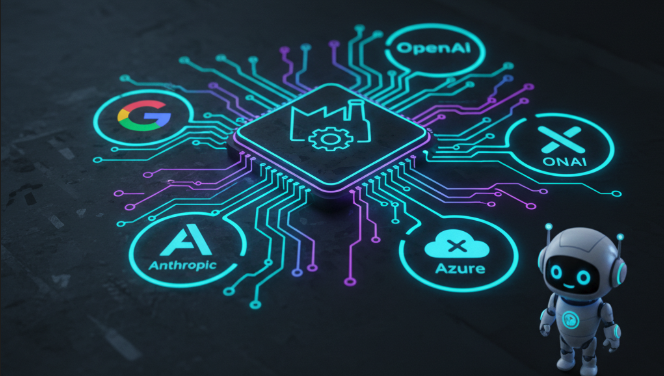
Streamline Your AI Development: The Power of an LLM Factory
In the rapidly evolving world of AI, Large Language Models (LLMs) are becoming indispensable tools for countless applications. From intelligent chatbots to sophisticated content generation, LLMs offer incredible capabilities. However, integrating and managing various LLMs from different providers can quickly become a complex and messy affair. This is where an “LLM Factory” pattern truly shines.
Imagine a single, elegant solution that allows you to swap between Google’s Gemini, Anthropic’s Claude, OpenAI’s GPT models, or even your custom Azure OpenAI deployments with minimal code changes. That’s precisely what an LLM Factory provides.
Let’s dive into why an LLM Factory, like the one demonstrated in the code, is a game-changer for AI developers.
What is an LLM Factory?
At its core, an LLM Factory is a design pattern that provides a centralized way to create and manage instances of different LLM providers. Instead of scattering new ChatOpenAI(), new ChatGoogleGenerativeAI(), or new ChatAnthropic() calls throughout your codebase, you route all LLM instance creation through a single factory class.
Consider the provided TypeScript code. The LLMFactory class acts as this central hub.
import { BaseChatModel } from "@langchain/core/language_models/chat_models";
import { ChatGoogleGenerativeAI } from "@langchain/google-genai";
import { ChatAnthropic } from "@langchain/anthropic";
import { ChatOpenAI } from "@langchain/openai";

export type LLMProvider = "google-gemini" | "anthropic" | "openai" | "azure-openai";

export interface LLMConfig {
  provider: LLMProvider;
  model?: string;
  temperature?: number;
  maxRetries?: number;
  apiKey?: string;
  // Azure-specific config
  azureOpenAIEndpoint?: string;
  azureOpenAIDeploymentName?: string;
  azureOpenAIApiVersion?: string;
}

/**
 * Factory class for creating LLM instances based on provider configuration
 */
export class LLMFactory {
  /**
   * Creates an LLM instance based on the provided configuration
   * @param config - Configuration object containing provider and model settings
   * @returns A LangChain BaseChatModel instance
   * @throws Error if provider is unsupported or required configuration is missing
   */
  static createLLM(config: LLMConfig): BaseChatModel {
    const { provider, temperature = 0, maxRetries = 2 } = config;

    switch (provider) {
      case "google-gemini":
        return this.createGoogleGemini(config);

      case "anthropic":
        return this.createAnthropic(config);

      case "openai":
        return this.createOpenAI(config);

      case "azure-openai":
        return this.createAzureOpenAI(config);

      default:
        throw new Error(`Unsupported LLM provider: ${provider}`);
    }
  }

  /**
   * Creates a Google Gemini LLM instance
   */
  private static createGoogleGemini(config: LLMConfig): ChatGoogleGenerativeAI {
    const model = config.model || "gemini-2.5-flash";
    const apiKey = config.apiKey || process.env.GOOGLE_API_KEY;

    if (!apiKey) {
      throw new Error("Google API Key is required. Set GOOGLE_API_KEY in environment variables.");
    }

    return new ChatGoogleGenerativeAI({
      model,
      temperature: config.temperature ?? 0,
      maxRetries: config.maxRetries ?? 2,
      apiKey,
    });
  }

  /**
   * Creates an Anthropic Claude LLM instance
   */
  private static createAnthropic(config: LLMConfig): ChatAnthropic {
    const model = config.model || "claude-3-5-sonnet-20241022";
    const apiKey = config.apiKey || process.env.ANTHROPIC_API_KEY;

    if (!apiKey) {
      throw new Error("Anthropic API Key is required. Set ANTHROPIC_API_KEY in environment variables.");
    }

    return new ChatAnthropic({
      model,
      temperature: config.temperature ?? 0,
      maxRetries: config.maxRetries ?? 2,
      apiKey,
    });
  }

  /**
   * Creates an OpenAI LLM instance
   */
  private static createOpenAI(config: LLMConfig): ChatOpenAI {
    const model = config.model || "gpt-4o";
    const apiKey = config.apiKey || process.env.OPENAI_API_KEY;

    if (!apiKey) {
      throw new Error("OpenAI API Key is required. Set OPENAI_API_KEY in environment variables.");
    }

    return new ChatOpenAI({
      model,
      temperature: config.temperature ?? 0,
      maxRetries: config.maxRetries ?? 2,
      apiKey,
    });
  }

  /**
   * Creates an Azure OpenAI LLM instance
   */
  private static createAzureOpenAI(config: LLMConfig): ChatOpenAI {
    const model = config.model || "gpt-4o";
    const apiKey = config.apiKey || process.env.AZURE_OPENAI_API_KEY;
    const azureOpenAIEndpoint = config.azureOpenAIEndpoint || process.env.AZURE_OPENAI_ENDPOINT;
    const azureOpenAIDeploymentName = config.azureOpenAIDeploymentName || process.env.AZURE_OPENAI_DEPLOYMENT_NAME;
    const azureOpenAIApiVersion = config.azureOpenAIApiVersion || process.env.AZURE_OPENAI_API_VERSION || "2024-02-15-preview";

    if (!apiKey) {
      throw new Error("Azure OpenAI API Key is required. Set AZURE_OPENAI_API_KEY in environment variables.");
    }

    if (!azureOpenAIEndpoint) {
      throw new Error("Azure OpenAI Endpoint is required. Set AZURE_OPENAI_ENDPOINT in environment variables.");
    }

    if (!azureOpenAIDeploymentName) {
      throw new Error("Azure OpenAI Deployment Name is required. Set AZURE_OPENAI_DEPLOYMENT_NAME in environment variables.");
    }

    return new ChatOpenAI({
      model,
      temperature: config.temperature ?? 0,
      maxRetries: config.maxRetries ?? 2,
      openAIApiKey: apiKey,
      configuration: {
        baseURL: `${azureOpenAIEndpoint}/openai/deployments/${azureOpenAIDeploymentName}`,
        defaultQuery: { 'api-version': azureOpenAIApiVersion },
        defaultHeaders: { 'api-key': apiKey },
      },
    });
  }

  /**
   * Creates an LLM instance from environment variables
   * Reads LLM_PROVIDER, LLM_MODEL, LLM_TEMPERATURE from environment
   */
  static getLLMFromEnv(): BaseChatModel {
    const provider = (process.env.LLM_PROVIDER || "google-gemini") as LLMProvider;
    const model = process.env.LLM_MODEL || undefined;
    const temperature = process.env.LLM_TEMPERATURE ? parseFloat(process.env.LLM_TEMPERATURE) : 0;
    const maxRetries = process.env.LLM_MAX_RETRIES ? parseInt(process.env.LLM_MAX_RETRIES) : 2;

    const config: LLMConfig = {
      provider,
      temperature,
      maxRetries,
    };

    if (model) config.model = model;
    if (process.env.AZURE_OPENAI_ENDPOINT) config.azureOpenAIEndpoint = process.env.AZURE_OPENAI_ENDPOINT;
    if (process.env.AZURE_OPENAI_DEPLOYMENT_NAME) config.azureOpenAIDeploymentName = process.env.AZURE_OPENAI_DEPLOYMENT_NAME;
    if (process.env.AZURE_OPENAI_API_VERSION) config.azureOpenAIApiVersion = process.env.AZURE_OPENAI_API_VERSION;

    return this.createLLM(config);
  }
}
This createLLM method takes a LLMConfig object, which specifies the desired provider (e.g., “google-gemini”, “anthropic”, “openai”, “azure-openai”) and other relevant parameters like the model name, temperature, and API keys.
Key Benefits of Using an LLM Factory
Simplified LLM Management:
Without a factory, adding a new LLM provider often means searching your entire project for every place an LLM is instantiated and then modifying that code. With an LLM Factory, you only need to update the factory itself. All other parts of your application interact with the factory, not directly with the LLM constructors. This significantly reduces maintenance overhead.Easy Provider Switching:
Want to test how your application performs with GPT-4o versus Claude 3.5 Sonnet? With an LLM Factory, it’s as simple as changing a configuration value. Instead of:const chatModel = new ChatOpenAI({ model: "gpt-4o", apiKey: process.env.OPENAI_API_KEY });You’d have:
const config = { provider: "openai", model: "gpt-4o" };
const chatModel = LLMFactory.createLLM(config);
To switch to Gemini, you just modify the
configobject:const config = { provider: "google-gemini", model: "gemini-2.5-flash" }; const chatModel = LLMFactory.createLLM(config);This flexibility is crucial for experimentation, A/B testing, and ensuring your application can adapt to the best-performing or most cost-effective LLM available.
Centralized Configuration and Environment Variable Handling:
Notice how theLLMFactoryhandles API key retrieval and default model settings within its private methods (e.g.,createGoogleGemini,createAnthropic). It centralizes the logic for pulling these sensitive credentials from environment variables (process.env.GOOGLE_API_KEY, etc.). This keeps your API keys secure and prevents them from being hardcoded, promoting better security practices.Robust Error Handling:
The factory includes built-in error checking, ensuring that essential configurations like API keys are present. If a required environment variable is missing, it throws a clear error, preventing runtime surprises.if (!apiKey) { throw new Error("Google API Key is required. Set GOOGLE_API_KEY in environment variables."); }Support for Complex Configurations (e.g., Azure OpenAI):
ThecreateAzureOpenAImethod demonstrates the factory’s ability to handle more complex, provider-specific configurations. Azure OpenAI requires additional parameters like endpoint, deployment name, and API version. The factory encapsulates all this logic, presenting a consistent interface to the rest of your application.Environment-Driven LLM Selection:
ThegetLLMFromEnv()method is a particularly powerful feature. It allows you to dynamically configure your LLM provider and settings based on environment variables. This is ideal for CI/CD pipelines, deploying to different environments (development, staging, production), or allowing users to select their preferred backend LLM without touching the core code.
Environment Configuration
Configure a set of below environment variables either using .env file or directly via OS:
Google Gemini (Default)
LLM_PROVIDER=google-gemini
LLM_MODEL=gemini-2.5-flash
LLM_TEMPERATURE=0
GOOGLE_API_KEY=your_api_key_here
Anthropic Claude
LLM_PROVIDER=anthropic
LLM_MODEL=claude-3-5-sonnet-20241022
LLM_TEMPERATURE=0
ANTHROPIC_API_KEY=your_api_key_here
OpenAI
LLM_PROVIDER=openai
LLM_MODEL=gpt-4o
LLM_TEMPERATURE=0
OPENAI_API_KEY=your_api_key_here
Azure OpenAI
LLM_PROVIDER=azure-openai
LLM_MODEL=gpt-4o
LLM_TEMPERATURE=0
AZURE_OPENAI_API_KEY=your_api_key_here
AZURE_OPENAI_ENDPOINT=https://your-resource.openai.azure.com/
AZURE_OPENAI_DEPLOYMENT_NAME=your-deployment-name
AZURE_OPENAI_API_VERSION=2024-02-15-preview
How to Use the LLM Factory (Example)
Instead of this:
import { ChatOpenAI } from "@langchain/openai";
// ... in your code
const openaiChat = new ChatOpenAI({
  model: "gpt-4o",
  temperature: 0.7,
  apiKey: process.env.OPENAI_API_KEY,
});
const response = await openaiChat.invoke("Tell me a story.");
You can now get a chat model/llm based on either environment variable (recommended) or by providing LLMConfig:
import { LLMFactory, LLMConfig } from "./llmFactory"; // Assuming your factory is in llmFactory.ts

// Option 1: Recommended Optons (Based on environmen variable)
const chatModel = LLMFactory.getLLMFromEnv();

// Option 2: Create an LLM with specific config
const myOpenAIConfig: LLMConfig = {
  provider: "openai",
  model: "gpt-4o",
  temperature: 0.7,
};
const chatModel = LLMFactory.createLLM(myOpenAIConfig);
let response = await chatModel.invoke("Tell me a story about a space pirate.");

// Option 3: Switch to another provider easily
const myGeminiConfig: LLMConfig = {
  provider: "google-gemini",
  model: "gemini-2.5-flash",
  temperature: 0.5,
};
const geminiChatModel = LLMFactory.createLLM(myGeminiConfig);
response = await geminiChatModel.invoke("Tell me a story about a space pirate.");

// Option 4: Get LLM from environment variables
// Set LLM_PROVIDER=anthropic, LLM_MODEL=claude-3-5-sonnet-20241022 in your .env
const envChatModel = LLMFactory.getLLMFromEnv();
response = await envChatModel.invoke("Tell me a story about a space pirate.");
Conclusion
The LLM Factory pattern is more than just a convenience; it’s a strategic architectural decision that brings order, flexibility, and scalability to your AI-powered applications. By abstracting away the complexities of different LLM providers, it allows developers to focus on building innovative features rather than grappling with integration nuances. If you’re working with multiple LLMs or anticipate doing so in the future, implementing an LLM Factory is a clear path to more maintainable, adaptable, and robust AI solutions.